The security of communications, and by extension of information, constitutes one of the most important yet least addressed issues by society. A viable response to the lack of privacy in email communications is the use of the PGP (Pretty Good Privacy) encryption method, developed by Phil Zimmermann in 1991. Since then until today, the PGP system has been refined and developed, even being implemented by major email service providers through Open Source initiatives such as Mailvelope.

Mailvelope is a browser extension for Chrome and Firefox used to manage PGP public and private keys on major email providers, specifically Gmail, Outlook.com, and Yahoo Mail!
Email encryption is an uncommon but increasingly necessary practice due to the economic value of content. Information professionals must be able to use secure communication methods to share cutting-edge, original, and unpublished work, research, reports, data files, ideas, and scientific discussions. Otherwise, there is a risk that third parties may exploit this information, leading to the loss of developed competitive advantages and causing irreparable harm. Although good intentions are assumed by companies managing our emails, under slogans such as “Don’t be evil,” cases like that of Edward Snowden have revealed practices that raise concerns about the security and privacy of even the most personal matters—and consequently, also of our scientific and technical output.
How Mailvelope Works
1. Install Mailvelope
Install the Mailvelope plugin for Chrome or the Mailvelope plugin for Firefox.
2. Generate PGP Keys
The PGP system is based on creating key pairs for each email address to be used. A first Public Key is shared with all potential recipients of encrypted messages, and a second Private Key, which is not shared, is used both to encrypt and decrypt messages sent or received.

Key generation includes the key name or owner's name, the useful email address, and the password field
In Mailvelope, key generation is a very straightforward process. From the Mailvelope management tab, users can select the «Generate Keys» option to assign a name to the key pair, specify an email address (in this example, Gmail), and set a master password for the keys. This last step is essential to achieve the highest possible security guarantee. Passwords should be long phrases containing spaces, accents, numbers, or special characters. The complexity and length of the password will make brute-force decryption algorithms significantly more difficult, providing a time margin of weeks or months before a message could potentially be decrypted.
3. Sharing Keys
Users must understand that private keys are never shared; only public keys should be exchanged with trusted individuals with whom secure communication is desired. In Mailvelope, it is possible to generate a file with the «.asc» extension containing the public key, which can be attached as a file in an email contact message. Alternatively, the public key may be shared via a downloadable link from a personal website, professional portfolio, or research site, provided that its hosting remains under the user’s control (for example, on mblazquez.es, secure contact is possible through this method).

Process for exporting a PGP public key. Note that the public, not private, key is being exported
To export a public key, select the key management option, show keys, click on the desired key, go to the export tab, and finally download the key.
4. Import keys from our correspondents
The importation of public keys from contacts is available through the key management option and can be performed in two ways: either by copying and pasting the correspondent’s public key code, or by importing the accompanying «.asc» file.
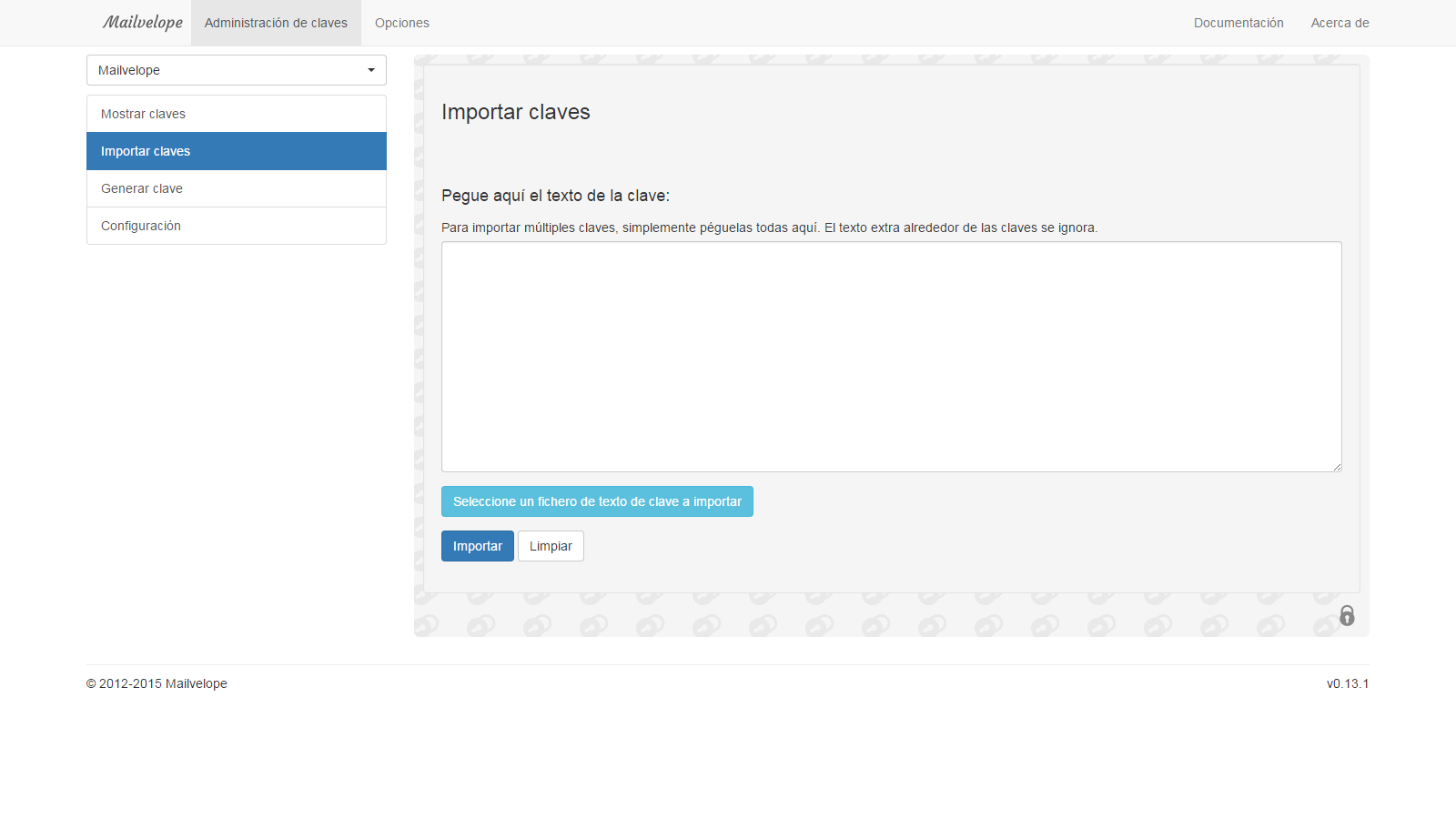
Your contacts’ public keys are necessary to decrypt their communications
5. Encrypt a message from Gmail
The integration of Mailvelope into Gmail is discreet and effective. When a user wishes to compose an encrypted message, they click the “Compose” button, and automatically an icon appears overlaid on the message body, launching a Pop-Up window to compose and securely encrypt the email without any intervention from Gmail. This aspect is extremely important, as otherwise the information would be compromised. Once the message is composed, it can be “encrypted” and “signed”. Encrypting the message requires having the recipient’s public key, which enables encoding the message so that only the intended recipient can open and decrypt it. Meanwhile, signing the message verifies that the sender is indeed who they claim to be, thereby confirming their identity. In fact, when signing a message, Mailvelope requires the password for the key to generate the encrypted signature header, making identity spoofing nearly impossible.

Gmail email interface showing the Mailvelope icon (right), which opens a message editing window (left) with options to encrypt and sign
6. Decrypting Messages from Gmail
If the above steps have been correctly followed, the recipient can decrypt the messages by entering their password to initiate the decryption process, resulting in the final decrypted message.
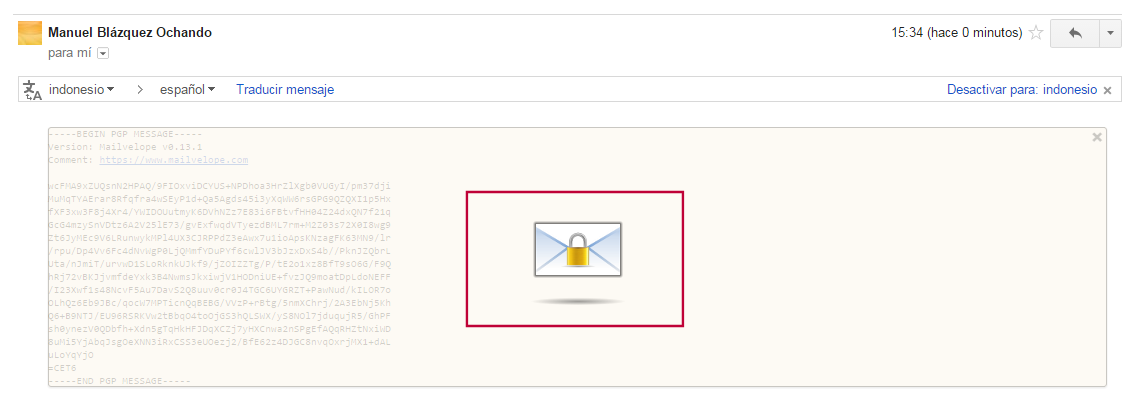
Decrypt the encrypted message
References
- How to use PGP encryption with Gmail, Yahoo, and other webmail accounts via Mailvelope. Available at: http://www.hackplayers.com/2013/11/como-utilizar-cifrado-pgp-con-gmail-yahoo-y-otros.html
- How to encrypt everything: Email. Available at: http://www.genbeta.com/correo/como-cifrarlo-todo-correo-electronico
- What is PGP and how to use it in your daily life. Available at: https://www.fayerwayer.com/2015/03/que-es-y-como-usar-pgp-en-tu-vida-diaria